Preparing for CompTIA Linux+ XK0-006 requires more than recognizing commands or remembering configuration files. Candidates need to understand how Linux systems behave when something goes wrong. A useful practice test should help identify that difference before exam day.
Linux Knowledge and Linux Administration Are Two Different Things
Someone who uses Linux every day may already understand the terminal, navigate directories, install packages, and edit configuration files. That experience provides a useful foundation for CompTIA Linux+ XK0-006, but it does not automatically demonstrate the administration skills the certification measures.
Consider a straightforward example: a Linux server stops running an application after a reboot. A regular user might know how to restart the application manually. An administrator needs to investigate why the service failed, check its configuration, examine system logs, and determine whether the problem involves systemd, permissions, dependencies, or another system component.
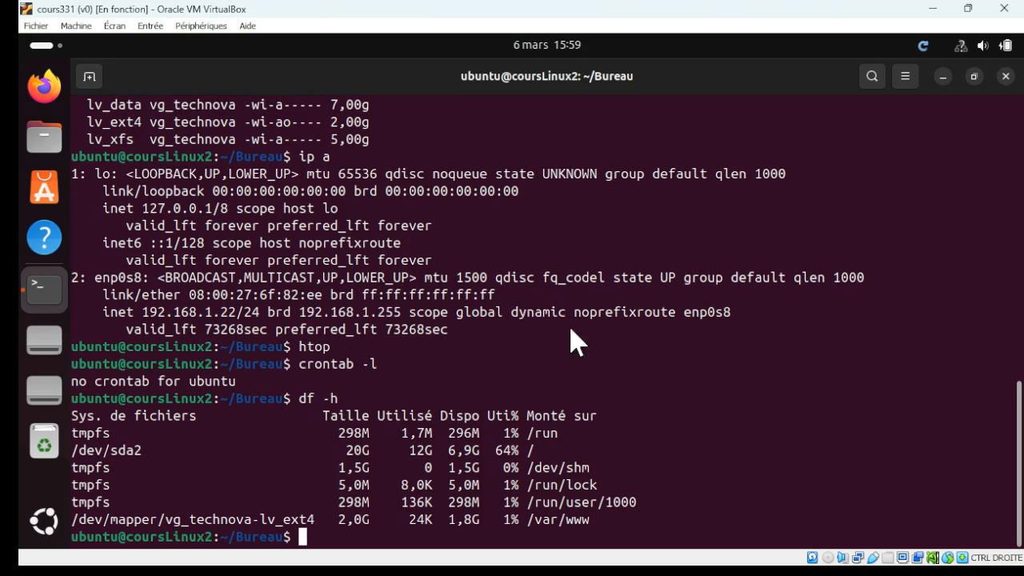
Storage provides another example. Knowing how to use df -h to check available disk space is useful. Managing logical volumes, understanding filesystem mounts, and recovering from storage-related problems require a broader understanding of how Linux handles disks and filesystems.
The same distinction applies to user permissions. Recognizing chmod and chown is one thing; identifying why an application cannot access a particular directory requires an understanding of ownership, permissions, groups, and potentially security policies.
These examples reflect the broader direction of the current Linux+ certification. The XK0-006 (Linux+ V8) examination covers five domains:
| Examination domain | Weight |
| System Management | 23% |
| Services and User Management | 20% |
| Security | 18% |
| Automation, Orchestration, and Scripting | 17% |
| Troubleshooting | 22% |
The examination allows up to 90 questions and 90 minutes. It includes multiple-choice and performance-based questions, with a passing score of 720 on a scale of 100–900. Candidates should check the official CompTIA Linux+ certification information and current XK0-006 exam objectives before choosing study materials.
For candidates who already have some Linux experience, the important question is how well that experience translates into the wider range of administration tasks covered by the examination.
What a Useful XK0-006 Practice Test Should Actually Measure
A practice test is most useful when it reveals how a candidate thinks through a Linux problem. A high score can indicate familiarity with the material, but the quality of that result depends on the questions, explanations, and alignment with the current objectives.
There are several things worth examining when choosing and using Linux+ practice tests.
Command knowledge and output interpretation
Candidates should understand what common Linux utilities do, when to use them, and what their output tells them.
For example, consider these commands:
systemctl status nginx
journalctl -u nginx
ss -tuln
df -h
lsblk
Each command provides a different type of information. One checks service status, another examines service logs, another displays socket information, while the remaining commands help investigate storage.
A meaningful practice question might present a failed service and ask which command would provide the most useful evidence. Another might show an unexpected filesystem capacity reading and ask the candidate to identify the next diagnostic step.
This is more useful than memorizing command definitions in isolation.
The official systemd systemctl documentation is a good reference for understanding service states and the information returned by system management commands. Freedesktop
Troubleshooting and scenario-based reasoning
Troubleshooting questions deserve particular attention because they require candidates to connect several pieces of information.
Imagine that a service cannot access a directory after a system update. Possible causes include changed permissions, incorrect ownership, missing mounts, or security restrictions. Immediately changing permissions might make the service work, but it could also introduce an unnecessary security problem.
A better administrator checks the evidence before making changes.
This is the kind of reasoning candidates should look for in practice questions. Can they distinguish a symptom from its likely cause? Do they understand which diagnostic command should come first? Can they select a corrective action without creating another problem?
Performance-based questions make practical familiarity especially relevant. Candidates should understand the tasks being assessed and have opportunities to work through comparable administration scenarios in a lab.
Recent candidate discussions in r/CompTIA also illustrate why hands-on preparation matters. One October 2026 discussion recommended working directly in a virtual machine and checking the official objectives instead of relying exclusively on video courses. Other candidates have discussed difficulties with PBQs and troubleshooting tasks. These are individual experiences, not evidence of a guaranteed examination question distribution, but they highlight useful preparation concerns.
Reviewing explanations and identifying knowledge gaps
The explanation accompanying a practice question can be more valuable than the score itself.
Suppose a candidate correctly answers a question about systemctl but cannot explain why the other options are inappropriate. That answer should not automatically be treated as mastered knowledge.
A useful explanation should clarify:
- Why the selected answer is appropriate.
- What the relevant command or configuration does.
- Why the alternative answers do not solve the problem.
- Which underlying Linux concept the question tests.
Candidates evaluating additional study resources can also consider the PassApply XK0-006 Exam Prep materials. They can visit PassApply and search for XK0-006 to check the available product information and study formats. The important step before purchasing is to confirm that the specific material matches the current examination code and supports the type of review needed.
A practice resource should complement the official objectives and hands-on learning. It should not become the only source of preparation.
The Skills That Deserve More Attention Before Exam Day
Not every candidate needs to spend the same amount of time reviewing every Linux topic. Someone with substantial server administration experience may already be comfortable with storage and services but have less experience with automation. Another candidate may understand scripting but struggle with network troubleshooting.
The five examination domains provide a useful framework for identifying these differences.
System administration
System administration connects several areas of Linux operation: storage, filesystems, services, users, networking, software management, and virtualization.
Candidates should be able to explain how these components interact.
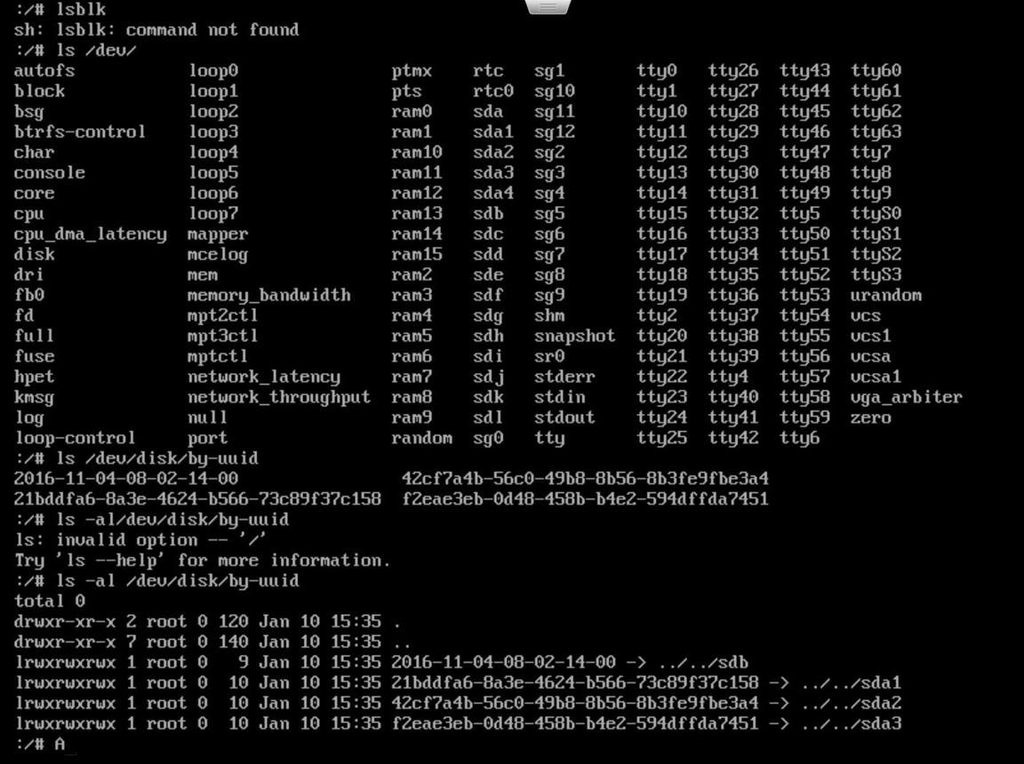
For example, when a filesystem fails to mount, the investigation may involve checking the block device, reviewing /etc/fstab, examining filesystem identifiers, and verifying the mount configuration. Understanding only one command in that process is insufficient to explain the complete situation.
Storage management deserves particular attention. LVM, partitions, filesystem types, and mounting operations are related tasks. Candidates should understand what each component does and how a change in one area can affect another.
Troubleshooting
Troubleshooting is a separate examination domain, weighted at 22%. It also overlaps with other administration skills.
A network connectivity problem, for instance, might involve interface configuration, routing, DNS resolution, firewall rules, or service availability.
A candidate who knows ping but cannot interpret routing information or distinguish DNS failures from connectivity failures has an incomplete troubleshooting approach.
A useful way to practise is to work through problems in a logical sequence:
- Identify the reported symptom.
- Gather relevant system information.
- Narrow down possible causes.
- Choose an appropriate corrective action.
- Verify that the problem has been resolved.
The purpose is to develop a repeatable diagnostic method. Guessing commands until something works is not a reliable administration practice.
Automation and modern Linux tools
Automation, Orchestration, and Scripting account for 17% of XK0-006. Candidates should understand the purpose of tools such as Bash, Python, Git, and Ansible.
For example, Bash is useful for automating repetitive command-line tasks. Python can support more structured scripting and data processing. Git helps track changes to scripts and configuration files, while Ansible supports repeatable configuration and automation across systems.
Container knowledge also deserves attention. Candidates should understand the basic relationship between container images, running containers, configuration, and persistent data.
The official Docker learning documentation provides a practical introduction to running containers and understanding their lifecycle.
The objective is not to become an expert in every automation platform before taking Linux+. Candidates should understand the relevant concepts, recognize common use cases, and be able to interpret basic examples.
Turning Practice Results into Better Preparation
Practice results become useful when candidates make decisions based on them. Repeating the same test until the score improves can create a misleading impression of readiness, particularly when the questions have become familiar.
A more effective approach starts with an initial assessment.
Establish a baseline
Take a practice test before spending too much time revisiting familiar topics. Record the results and identify which examination domains produced the most difficulty.
Do not focus exclusively on the overall percentage. A candidate might perform well in System Management but struggle with Automation, Orchestration, and Scripting. That difference should influence the next stage of preparation.
Review incorrect and uncertain answers
Incorrect answers are obvious candidates for review, but uncertain correct answers deserve attention too.
If you guessed correctly, you may not have understood the concept. Write down the reason for your uncertainty and revisit the relevant objective.
Keep a simple record of recurring problems. For example:
| Weak area | What to review |
| systemd | Service states, dependencies and logs |
| Storage | LVM, partitions and mounting |
| Permissions | Ownership, groups and access control |
| Networking | Interfaces, routing and DNS |
| Automation | Bash, Python and Ansible fundamentals |
This makes subsequent study sessions more focused.
Combine practice questions with hands-on labs
When a question exposes a weakness, try to reproduce the relevant task in a Linux virtual machine.
If you struggle with service management, create a test service and examine its status and logs. If storage questions are difficult, practise inspecting disks and mounting filesystems in a disposable environment. If networking is a weak area, inspect interfaces and routing information on a virtual machine.
Use snapshots and backups before experimenting with potentially destructive storage or system configuration changes.
After reviewing the material, take another practice test with questions you have not already memorized. Timed practice is useful at this stage because it reveals whether you can apply your knowledge under examination conditions.
A consistently strong result across different question sets, supported by an ability to explain the answers and reproduce relevant tasks, provides better evidence of readiness than a single high score.
Conclusion
CompTIA Linux+ XK0-006 preparation should give candidates a clear picture of their actual Linux administration capabilities. Practice tests are valuable when they expose weaknesses in command interpretation, system management, troubleshooting, security, and automation.
Before scheduling the examination, make sure you can explain why a command is appropriate, interpret the information it returns, and connect that information to a practical system problem. Review the official objectives, address recurring weaknesses, and use a Linux lab to reinforce areas where theoretical knowledge is insufficient.
The best indication of readiness is not how many questions you have completed. It is how confidently you can work through an unfamiliar Linux administration problem and explain your decisions.
Frequently Asked Questions
1. Is Linux experience necessary before taking CompTIA Linux+ XK0-006?
CompTIA recommends approximately 12 months of hands-on experience working with Linux servers. Candidates can begin studying without extensive professional experience, but practical exposure to administration tasks makes the examination objectives easier to understand and apply.
2. What should I look for in a Linux+ XK0-006 practice test?
Look for materials aligned with the current XK0-006 objectives, meaningful answer explanations, relevant scenario-based questions, and coverage of all five examination domains. Avoid relying on a score alone to judge readiness.
3. Are Linux+ practice tests enough to prepare for PBQs?
Practice tests can help develop familiarity with scenario-based problems, but hands-on work is also important. Use Linux virtual machines to practise administration, configuration, and troubleshooting tasks that correspond to the official objectives.
4. Should I still use XK0-005 study materials?
Be careful when using older XK0-005 resources. Some foundational Linux concepts remain relevant, but the current XK0-006 objectives should determine what you study. Check whether older materials have been reviewed and updated for the current examination.
5. How do I know when I am ready for the Linux+ exam?
Look for consistent performance across multiple practice tests, an understanding of why answers are correct, and the ability to complete relevant Linux administration tasks independently. Pay particular attention to weak domains and questions you answered correctly through guessing.
